
Download BitChute – Free Secure Video Sharing Platform Alternative to YouTube
What Is BitChute? – A Comprehensive Overview
BitChute is a free, peer‑to‑peer video‑sharing network that positions itself as a viable alternative to the giant YouTube platform. Launched in 2017, the service leverages the BitTorrent protocol to distribute video files, which means that once a video gains viewers, each viewer also helps to host and deliver the content to the next user. This decentralized approach reduces the load on central servers and can improve streaming stability, especially in regions with limited bandwidth.
Unlike many mainstream platforms, BitChute emphasizes a community‑driven moderation model. While it welcomes uploads from regular users across the globe, it enforces a strict policy against copyrighted material. The platform actively reviews any flagged content and removes infringing videos, positioning itself as a “copyright‑friendly” environment. This stance has attracted creators who feel constrained by YouTube’s automated Content ID system.
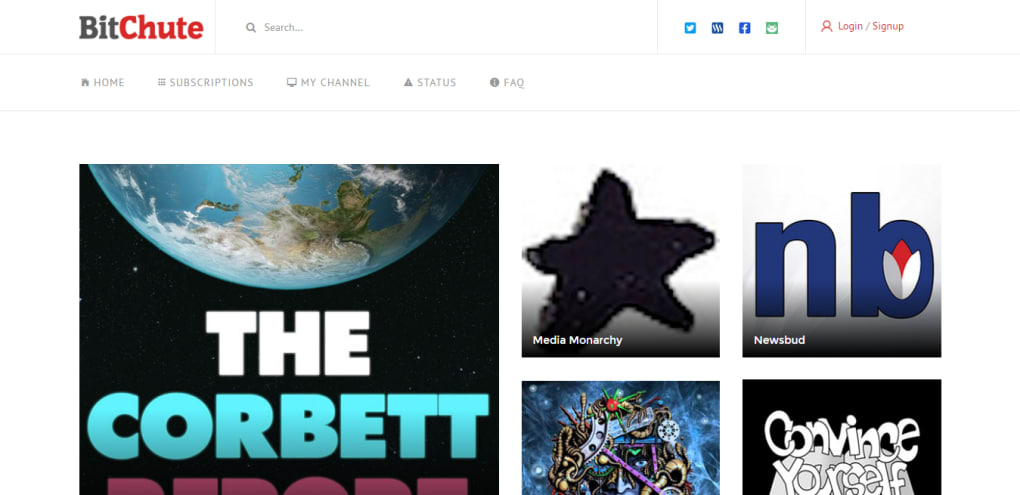
From a user‑experience perspective, BitChute mirrors many familiar YouTube features: channel subscriptions, comment sections, playlists, and a searchable library of videos. However, the interface is intentionally lightweight, focusing on speed and simplicity rather than heavy advertising or recommendation algorithms. The result is a clean, ad‑light environment where viewers can discover both mainstream content and niche videos that are often absent from larger platforms.
BitChute’s growth trajectory has been modest yet steady. While it remains far smaller than YouTube, it has outperformed other competitors such as DailyMotion and Vimeo in terms of active uploaders and daily viewership. For anyone seeking a free, secure, and less‑censored video platform, BitChute offers a compelling mix of community control, privacy‑first architecture, and a growing content library.
Key Features, Installation, and How to Use BitChute Effectively
Feature List
- Peer‑to‑peer streaming powered by BitTorrent technology.
- Free account creation with channel customization.
- Robust copyright enforcement and transparent reporting tools.
- Responsive web interface that works on Windows, macOS, Linux, Android, and iOS browsers.
- Embedded video player with support for HD playback.
- Channel subscriptions, playlists, and comment moderation.
- Simple API for developers to embed BitChute videos on external sites.
- Ad‑light experience with optional creator‑supported donations.
Step‑by‑Step Installation & First‑Time Usage
Because BitChute is a web‑based service, there is no traditional “install” process required on desktop operating systems. Users simply navigate to BitChute.com using any modern browser (Chrome, Firefox, Edge, Safari). For mobile users, the same URL works flawlessly on Android and iOS browsers, providing a native‑like experience without the need for a dedicated app.
To get started, click the “Sign Up” button located at the top‑right corner of the homepage. The registration form asks for a valid email address, a username, and a password. After confirming your email, you can customize your channel by uploading a banner, adding a description, and linking social media profiles. Once your channel is set up, you can begin uploading videos using the “Upload” button. The upload wizard walks you through selecting a file, adding a title, description, tags, and selecting a thumbnail—either autogenerated or custom.
After publishing, your video is immediately seeded to the BitTorrent network. Viewers who click on your video will start downloading small pieces of the file from both the BitChute servers and other viewers who already have the file, creating a resilient distribution model. You can monitor view counts, seed ratios, and engagement metrics from the “Analytics” dashboard.
For creators concerned about privacy, BitChute offers optional two‑factor authentication (2FA) and the ability to make videos “unlisted,” meaning they won’t appear in public search results but can be shared via a direct link. Additionally, the platform’s comment system includes moderation tools such as keyword filters, user bans, and the ability to disable comments on a per‑video basis.
Overall, the learning curve is shallow: a few minutes to create an account, a few clicks to upload, and you’re ready to share your content with a community that values free expression and responsible sharing.
Compatibility Across Devices and an Honest Look at Pros & Cons
Operating System Support
BitChute’s web platform is fully compatible with all major operating systems, including Windows 10/11, macOS Monterey and later, popular Linux distributions (Ubuntu, Fedora, Debian), as well as mobile platforms such as Android 8.0+ and iOS 13+. Because the service runs in a browser, there’s no need for separate installers or app store downloads, which reduces the risk of bundled malware and ensures a consistent experience across devices.
For power users, BitChute also provides an open‑source “desktop client” built on Electron that can be downloaded from the official site. This client offers desktop notifications, background uploading, and a streamlined UI for frequent creators. However, the client is optional; the primary service remains browser‑based.
Pros
- Free & open access: No subscription fees or mandatory ad‑views.
- Decentralized streaming: BitTorrent backbone reduces server load and improves resilience.
- Strong copyright enforcement: Prompt takedown of infringing material.
- Lightweight UI: Fast loading times and minimal distractions.
- Cross‑platform compatibility: Works on Windows, macOS, Linux, Android, iOS.
- Creator‑friendly monetization: Direct donation links and optional tip jars.
Cons
- Smaller audience: Compared to YouTube, the viewer base is limited.
- Limited analytics: Basic metrics only; no advanced audience insights.
- Occasional latency: Peer‑to‑peer seeding can cause buffering for new videos with few seeders.
- No official mobile apps: Relies on browser experience for mobile users.
- Community moderation variance: While copyright enforcement is strict, other content policies can be inconsistent.
Frequently Asked Questions About BitChute
Is BitChute really free to use?
Yes. BitChute does not charge viewers or creators any subscription fees. The platform is funded through optional creator donations and limited advertising, keeping the core service completely free.
How does BitChute handle copyrighted material?
BitChute has a zero‑tolerance policy for copyrighted content. Any video reported for infringement is reviewed by a dedicated moderation team, and infringing material is removed promptly. This approach aims to protect creators’ rights and keep the platform legally compliant.
Do I need to download any software to watch videos?
No. All videos stream directly in your web browser. If you prefer a desktop experience, BitChute offers an optional Electron client, but it is not required for playback.
Can I monetize my content on BitChute?
Monetization is limited to direct donations, tip jars, and optional sponsorship links. BitChute does not run a built‑in ad‑revenue share program like YouTube, but creators can embed PayPal, Patreon, or cryptocurrency wallets to receive support.
Is my data safe when I use BitChute?
BitChute uses HTTPS encryption for all data transmission, and the peer‑to‑peer architecture means no single server stores the entire video file. For account security, the platform offers two‑factor authentication and regular security updates.
Final Verdict – Should You Download BitChute?
BitChute delivers a compelling mix of free access, decentralized streaming, and a firm stance against copyright abuse. For creators frustrated with YouTube’s algorithmic bias or for viewers seeking content that falls outside mainstream platforms, BitChute offers a viable alternative. The service’s lightweight interface, cross‑platform compatibility, and optional desktop client make it easy to get started without a steep learning curve.
However, the platform’s smaller audience and basic analytics mean that it may not replace YouTube for those who need extensive reach and detailed performance data. If you’re willing to trade massive viewership for a more open, community‑driven environment, BitChute is worth exploring.
Ready to experience a new way of sharing video? Download BitChute now and join a growing community that values freedom of expression, privacy, and secure peer‑to‑peer technology.
Pros: Free, decentralized streaming, strong copyright enforcement, lightweight UI, cross‑platform.
Cons: Smaller audience, limited analytics, occasional buffering for new videos, no official mobile apps.



.png)



